
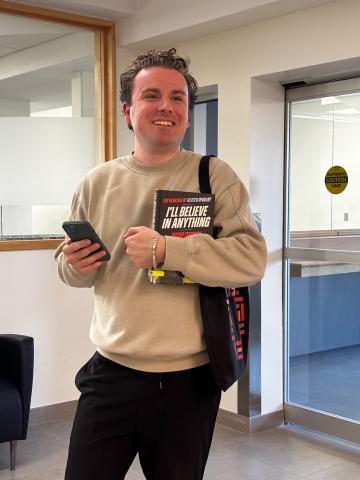
Ryan is excited to try the new self-checkout feature in the OPL Mobile app! In just a few seconds, he checked out the book he wants to borrow right from his phone. Pretty cool for a trip to the Library!
Easy to identify by the cart icon in the app, the self-checkout feature uses innovative technology to give you an easier and more convenient way to borrow Library materials using your phone.
The next time you borrow books, DVDs, or video games, open the OPL Mobile app and use the self-checkout feature to check out your items in a few quick steps.
While many items can be checked out using the app, specialty items like telescopes, musical instruments, and Nintendo Switch games still require staff-assisted checkout.
Try it Out
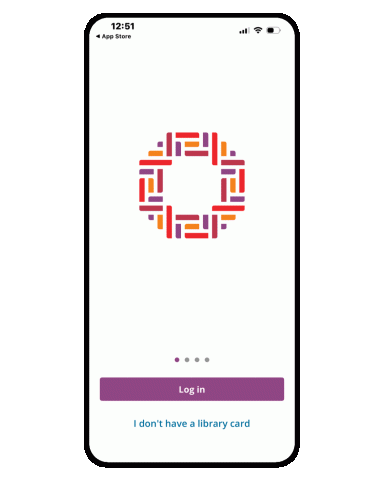
1. Login to OPL Mobile.
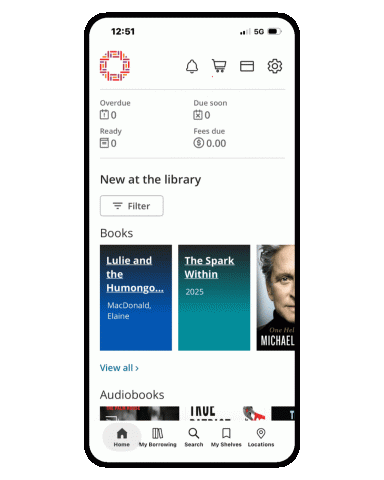
2. Tap the cart-shaped Checkout icon in the top-right corner of the screen.
3. Select Begin checkout.
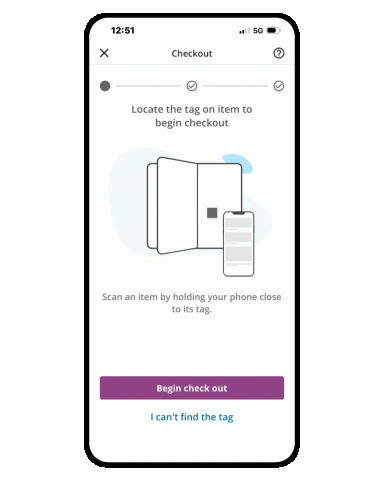
4. Hold your phone near the item's tag to scan it.
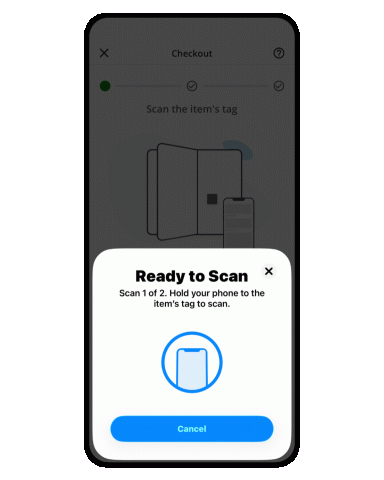
5. Scan the item a second time to deactivate security.
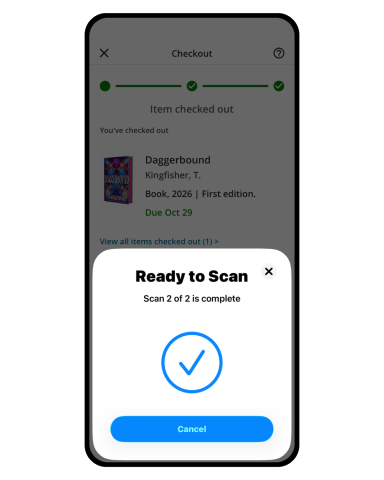
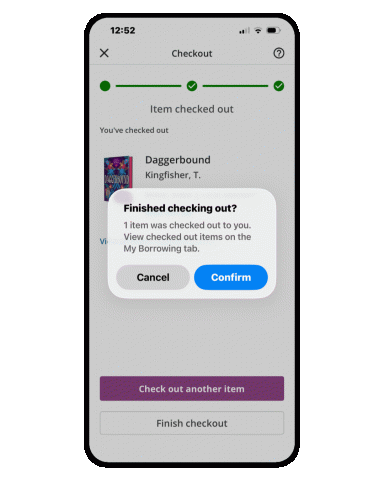
6. Tap Finish to complete your checkout. Your borrowed items will appear in your account right away.
Don’t have OPL Mobile yet? Download or update it from the Google Play or the Apple App Store today and take the Library with you wherever you go.
To use OPL Mobile in French, set your phone’s language preference to French in your device settings.
Book a one-on-one appointment with Library staff for personalized assistance.